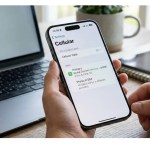
- Sudden loss of mobile service can be a warning sign of possible SIM swap fraud.
- Contact your operator, bank and 1930 urgently in parallel using another trusted phone.
- Never share OTPs or approve SIM changes requested through unsolicited calls or messages.

SIM swap fraud can put your mobile number at risk by moving it to a SIM or eSIM controlled by someone else. A sudden loss of service can therefore deserve immediate attention, particularly if you also receive unexpected SIM replacement, banking or account alerts.
This guide explains how SIM swap fraud works, the warning signs to watch for, and what to do in the first hour. If you suspect fraud or see an unauthorised transaction, speed matters: contact the operator and bank, and report the matter through the national cybercrime helpline or portal as early as possible.
How SIM Swap Fraud in India Works
In a SIM swap, a fraudster attempts to get a replacement physical SIM or eSIM activated for your mobile number. If the replacement is successful, your original SIM may stop connecting to the network and the replacement SIM can receive calls and SMS intended for your number.
Also Read
A SIM swap by itself does not automatically give someone access to every account linked to your number. Criminals may need other credentials or information as well, such as banking details, passwords or account recovery information. The risk becomes more serious when a SIM swap is combined with other stolen information.
Fraudsters may use fake KYC messages, impersonate an operator, offer a supposed 5G upgrade, ask for verification codes, or try to persuade you to approve a SIM or eSIM change.
Warning Signs of a Possible SIM Swap
- Your phone suddenly shows “No service” or “Emergency calls only” without an obvious reason.
- You receive an SMS, email or notification about a SIM replacement or eSIM request that you did not make.
- Expected banking alerts, OTPs or account messages suddenly stop arriving, or you see unfamiliar account activity.
- Your messaging account shows activity you do not recognise, such as unexpected messages sent to contacts.
Sudden loss of service is a warning sign, not proof of a SIM swap. Network outages, handset issues and other technical problems can cause the same symptom. Check the situation quickly, but do not delay contacting your operator and securing financial accounts if the loss of service is unexplained.
What to Do in the First Hour
If you suspect a SIM swap, use another trusted phone or a trusted internet connection where possible. Do not wait for a one-hour period to pass, and do not assume that acting within an hour guarantees that money can be recovered.
- ⚙️ Contact your mobile operator urgently. Use another trusted phone to report the unexplained loss of service or unauthorised SIM/eSIM change. Ask the operator to check the account and take appropriate steps to secure or restore your number.
- ⚙️ Contact your bank or payment provider immediately. Use the official number printed on your card, statement or bank website. Report any unauthorised transaction or suspected account compromise and ask what immediate security measures are required for your banking and UPI access.
- Report financial loss urgently to your bank, call 1930 and use the national cybercrime portal at the earliest.
- ⚙️ Secure your important accounts after the urgent reports. Change passwords for email and other important accounts using a trusted device, review recent account activity, and enable stronger authentication where available. Do not put password changes ahead of contacting the bank and reporting an active financial fraud.
If appropriate, visit your operator’s store or your bank branch with identification and relevant transaction details. You can also make a police report where the circumstances require it. Keep screenshots, SMS alerts, transaction references, emails, call details and the approximate time your service stopped as evidence.
How to Reduce Your SIM Swap Risk
- Never share OTPs, PINs, passwords or banking credentials with someone who contacts you unexpectedly.
- Do not follow unsolicited instructions to “upgrade”, “verify” or reactivate your SIM by sharing a code or approving an unexpected request.
- Use an authenticator app or another stronger authentication method instead of SMS verification where the service supports it.
- Set transaction alerts and suitable limits for banking and UPI services.
- Keep personal information such as your phone number, date of birth and identity documents from being unnecessarily exposed online.
- Review important account activity regularly so that an unfamiliar login, password reset or transaction is noticed quickly.
What About eSIM Swap?
The same account-security risk can apply when a mobile number is moved to an eSIM. Do not scan an unexpected QR code, open an unsolicited activation link or approve an eSIM request simply because someone claims it is required for a network upgrade or verification.
Use your operator’s official app, website, store or customer-care channel for legitimate eSIM changes. If you receive an unexpected eSIM activation notification, contact the operator immediately and treat it as a possible security issue. Also see our guide to Jio, Airtel, Vi and BSNL APN settings.
Sanchar Saathi and TAFCOP Checks
Sanchar Saathi provides the TAFCOP service for checking mobile connections registered in your name. It is useful for identifying unknown mobile connections that you do not recognise.
TAFCOP is not a tool for detecting a duplicate SIM when the same existing mobile number has been moved to another SIM. If you suspect a SIM swap, the operator remains an important first contact for checking the status of your number.
Sanchar Saathi also includes Chakshu for reporting suspected fraudulent communications. Chakshu is intended for suspicious calls, SMS or other communications; it should not be treated as a replacement for 1930 or the cybercrime portal when you have suffered financial loss or an actual cybercrime.
Conclusion
A sudden unexplained loss of mobile service can be an important warning sign, but it does not by itself prove a SIM swap. If you suspect one, act urgently using another trusted phone: contact your operator and bank, report financial fraud through 1930 and the cybercrime portal as early as possible, and then secure your important accounts and preserve evidence.
There is no guaranteed recovery deadline for money lost through a SIM swap or related fraud. Prompt reporting can help the relevant institutions respond, while regular account checks, stronger authentication and careful handling of OTPs can reduce the risk of further damage.
Frequently Asked Questions
What is a SIM swap scam?
A SIM swap scam involves getting a replacement SIM or eSIM activated for your mobile number without your permission, potentially allowing the replacement SIM to receive your calls and SMS.
Does losing mobile network mean my SIM has been swapped?
No. Sudden loss of network is a warning sign but can also result from an outage, handset problem or other technical issue. Check with your operator urgently if the loss is unexplained.
What should I do first if I suspect a SIM swap?
Use another trusted phone to contact your mobile operator and bank immediately, and report any unauthorised financial transaction through 1930 and the national cybercrime reporting portal as early as possible.
Does a SIM swap give criminals access to every account linked to my number?
No. A SIM swap alone does not automatically provide access to every account. Criminals may also need other credentials or information, but control of the number can increase the risk to accounts that rely on SMS verification.
Can TAFCOP detect a duplicate SIM using my existing number?
TAFCOP on Sanchar Saathi is designed to help you check mobile connections registered in your name. It is not a tool for detecting a duplicate SIM when your existing number has been moved to another SIM.
Should I report a SIM swap to 1930?
Yes, especially if you have suffered financial loss or an unauthorised transaction. Report cyber fraud through 1930 and the national cybercrime reporting portal as early as possible, while also contacting your bank.