

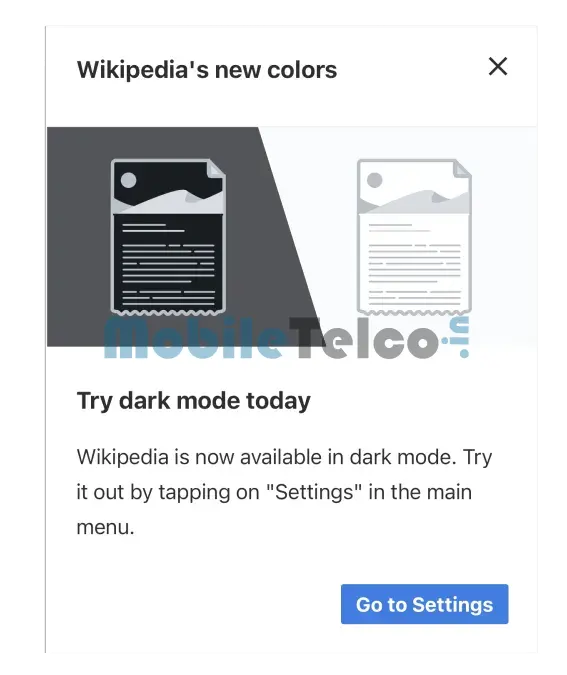
- Dark mode implementation for Wikipedia’s mobile website started in 2024.
- Easy steps to enable Wikipedia Dark Mode on mobile devices.
- Desktop dark mode expected to roll out soon.
In today’s digital age, dark mode has become a popular feature across various platforms, enhancing user experience and reducing eye strain. The trend began gaining traction around five years ago, with major apps like YouTube, Twitter, Facebook, and WhatsApp integrating dark themes. Apple and Google followed suit in 2018, introducing system-wide dark modes for their mobile operating systems. Fast forward to 2024, Wikipedia has joined the dark mode revolution, rolling out this feature for its mobile website.
Embrace Wikipedia’s Dark Mode: A User-Friendly Guide
If you’ve recently visited Wikipedia on your mobile device, you might have noticed a new option to switch to dark mode. This guide will walk you through the process of enabling Wikipedia Dark Mode, making your reading experience more comfortable, especially during nighttime browsing.

Why Wikipedia Dark Mode Matters
Wikipedia Dark Mode is not just a cosmetic change; it significantly enhances readability in low-light conditions. This feature helps reduce the glare from your screen, minimizing eye fatigue and making it easier to read extensive articles. Moreover, it contributes to battery saving on devices with OLED screens, as dark pixels consume less power.
How to Enable Wikipedia Dark Mode on Mobile
Switching to Wikipedia Dark Mode on your mobile device is a simple process. Follow these steps:

- Visit Wikipedia’s Mobile Site: Open your preferred browser and navigate to Wikipedia.
- Access the Menu: Tap on the hamburger menu icon located at the top left corner of the screen.
- Navigate to Settings: Scroll down the menu and tap on “Settings.”
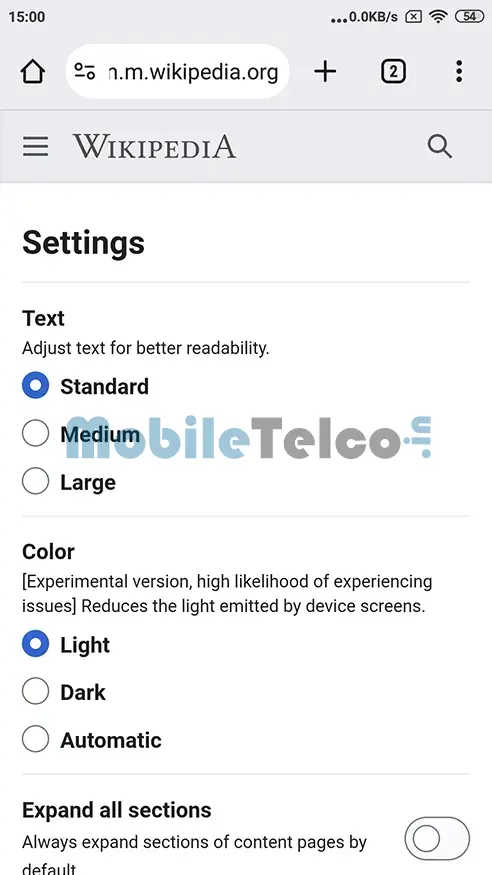
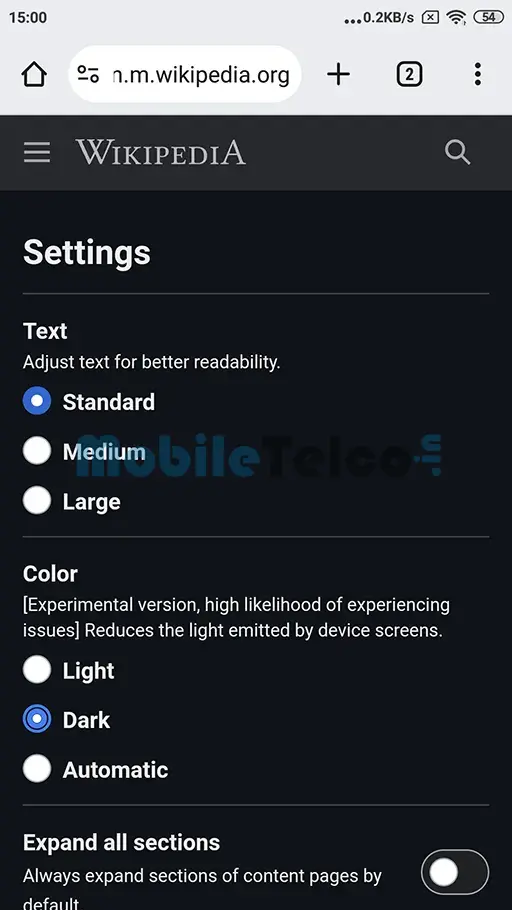
- Select Dark Mode: Under the “Color” section, choose the “Dark” option.
Currently, Wikipedia’s dark mode is labeled as an experimental feature. This means you might encounter minor issues while using it, but overall, it aims to provide a better reading experience in dim environments.
Future Availability on Desktop
While dark mode is currently available only for the mobile website, desktop users have something to look forward to. According to a Reddit user, the dark mode feature for desktop is expected to roll out soon, potentially within this month. Wikipedia plans to update its community as the desktop dark mode becomes available, ensuring that users across all devices can enjoy the benefits of this feature.
Benefits of Wikipedia Dark Mode
Implementing a dark mode on Wikipedia has several advantages:
- Improved Readability: Reduces eye strain by lowering the brightness and providing a comfortable reading experience in low light.
- Battery Efficiency: On devices with OLED screens, dark mode can help save battery life.
- Modern Aesthetics: Offers a sleek and contemporary look, aligning Wikipedia with modern app design trends.
As Wikipedia embraces the dark mode trend, users can now enjoy a more comfortable and visually appealing reading experience on their mobile devices. This feature is a significant step towards enhancing user accessibility and meeting the growing demand for customizable reading environments. Keep an eye out for updates on the desktop dark mode, which promises to extend these benefits to a broader audience.
Wikipedia Dark Mode offers a user-friendly and visually appealing alternative for readers, ensuring a better browsing experience day and night.
FAQ
How do I enable Wikipedia Dark Mode on mobile?
Visit Wikipedia’s mobile site, tap the hamburger menu, go to settings, and select “Dark” under the color section.
Is Wikipedia Dark Mode available on desktop?
Currently, it’s only available on mobile, but desktop dark mode is expected to be rolled out soon.
Why should I use Wikipedia Dark Mode?
It enhances readability in low-light conditions, reduces eye strain, and can save battery life on OLED screens.
