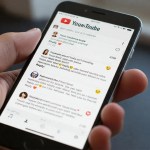
- YouTube comments sidebar is a desktop layout that moves comments and video details into a right sidebar.
- Large recommendation thumbnails now appear directly below the video player in the tested layout.
- User reactions to the redesign are largely negative, with some using browser filters to restore the old interface.

YouTube is testing another desktop redesign that changes how the video page is arranged on the web. The YouTube comments sidebar moves comments, video details and interactive tabs into a dedicated panel on the right, while recommended videos appear below the player.
The layout appears to be reaching a broader group of users, with reports of people waking up to the change without opting into it. Early reactions are largely negative, with complaints that the desktop watch experience feels more cramped and distracting.
YouTube Comments Sidebar Changes the Desktop Layout
In the tested design, the main video player is flanked by a vertical panel on the right. That panel contains comments, the video description and interactive tabs, moving information that traditionally appeared around the player into a narrower sidebar.
Also Read

Below the video player, recommended videos are displayed as a grid of oversized thumbnails. This creates a different visual hierarchy from the traditional desktop layout, where the video and surrounding information have more room to breathe.
Why Users Are Criticising the YouTube Desktop Redesign
Reports on Reddit indicate that the layout has appeared for multiple users, and the reaction has been overwhelmingly negative. Several complaints focus on the smaller video window and the amount of content competing for space across the desktop viewport.
Some users describe the interface as disjointed, with giant recommendation thumbnails below the player while comments are confined to a narrow side drawer. For long videos, this can make moving between the video, comments and recommendations feel more distracting.
Another concern is spoilers. Some users say comments can reveal information about a video, and placing the comments alongside the player makes them harder to avoid while watching.
Users Are Trying to Restore the Traditional YouTube Layout
Some users are turning to custom uBlock Origin filters and browser extensions to bring back the traditional desktop interface. These workarounds reflect the preference among affected users for the earlier arrangement rather than the tested sidebar design.
YouTube Tested a Similar Sidebar in 2024
This is not the first time YouTube has experimented with a desktop sidebar. The platform tested a similar design in 2024, drawing widespread criticism before briefly allowing Premium subscribers to try it and later rolling it back.
YouTube has previously explained that its interface continues to change as it works to reduce clutter, encourage engagement and create a more consistent experience across devices.
Is the YouTube Comments Sidebar Permanent?
YouTube has not officially said whether the current layout will become permanent. It may remain a server-side A/B test while the company evaluates how users respond to the design.
Google has been contacted for comment about the current desktop layout, but no response was available at the time of writing.
Conclusion
YouTube’s latest desktop experiment moves comments and video details into a right-hand sidebar and places large recommendation thumbnails below the player. The design is drawing strong criticism from affected users, while its long-term status remains unclear.
Frequently Asked Questions
What is the YouTube comments sidebar layout?
It is a tested desktop layout that places comments, video details and interactive tabs in a dedicated right-hand sidebar beside the video player.
Why are users criticising the new YouTube desktop layout?
Users have complained that the sidebar shrinks the video area, adds clutter and makes comments and large recommendation thumbnails compete for space.
Can the traditional YouTube desktop layout be restored?
Some affected users are using custom uBlock Origin filters and browser extensions to restore elements of the traditional layout.
Is YouTube’s comments sidebar becoming permanent?
YouTube has not officially said whether the tested layout will become permanent or remain a server-side A/B test.
Discover more from MobileTelco
Subscribe to get the latest posts sent to your email.